How to Order at Yoshinoya: The Complete Step-by-Step Guide for Tourists in Japan
Walking into a Japanese fast-food restaurant for the first time can feel intimidating, but Yoshinoya has made the experience remarkably tourist-friendly with multilingual tablet ordering and cashless payment options. In this comprehensive guide, you’ll learn exactly how to order at Yoshinoya like a local, discover hidden perks that most tourists miss, and master the insider customization options that will elevate your gyudon experience.
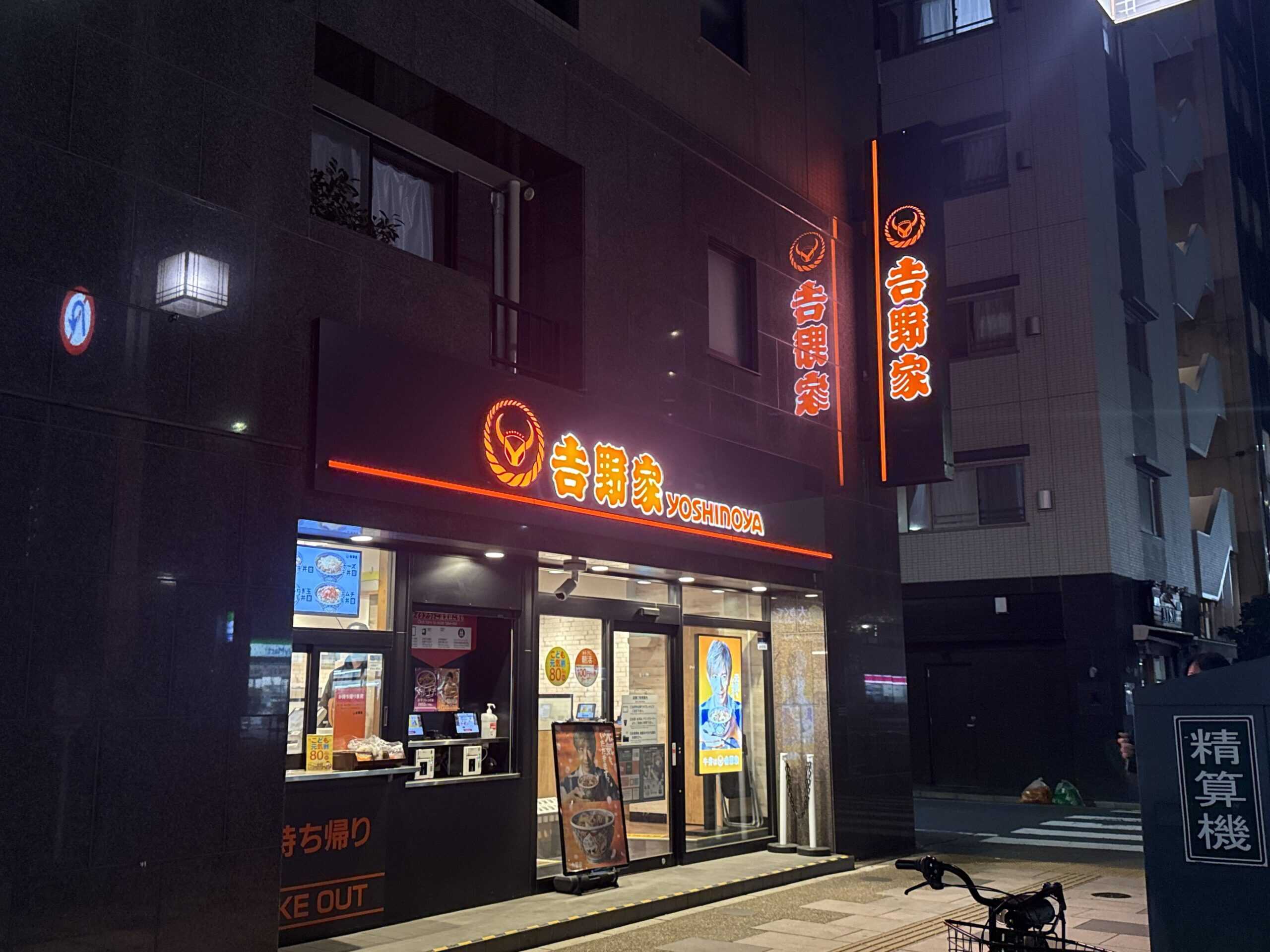
Understanding Yoshinoya Store Formats: Black vs Orange Signage
Before diving into the ordering process, it’s important to understand that Yoshinoya operates two store formats in Japan, distinguished by their signage color. This knowledge will help you know exactly what to expect when you walk through the door.
Black Signage Stores (Primary Format)
The vast majority of Yoshinoya locations you’ll encounter feature black signage with the iconic orange bull logo. This is the current standard format and the one we’ll focus on primarily in this guide. At black signage stores, you’ll order via tablet, collect your food yourself when your seat number appears on the overhead TV screen, and pay at the cashier when leaving.
Orange Signage Stores (Being Phased Out)
You may occasionally encounter older stores with orange signage. These locations still use tablet ordering, but staff will bring your food directly to your table instead of you collecting it. The payment process remains the same — you pay at the cashier when leaving. However, these stores are increasingly rare as Yoshinoya updates its locations to the black signage format.
Step-by-Step Ordering Guide at Yoshinoya
Here’s your complete walkthrough for ordering at a black signage Yoshinoya store. Follow these steps and you’ll navigate the experience with confidence.
Step 1: Enter and Find Your Seat
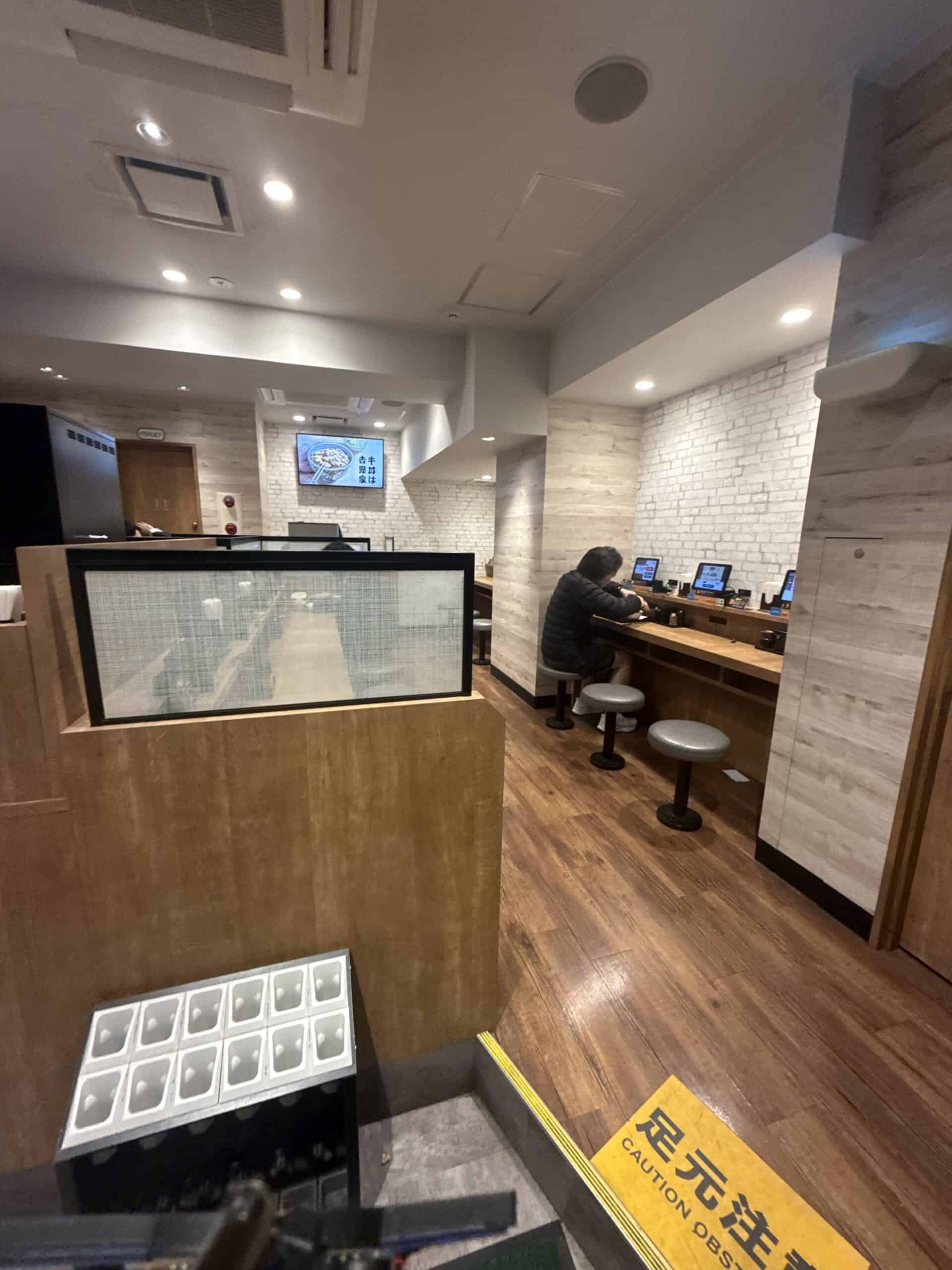
Upon entering, you’ll notice counter seating with individual seats, each marked with a number. Simply choose any available seat and sit down. There’s no need to wait to be seated — this is casual dining at its finest. Take note of your seat number, as you’ll need it later to collect your food.
Step 2: Switch the Tablet to Your Language
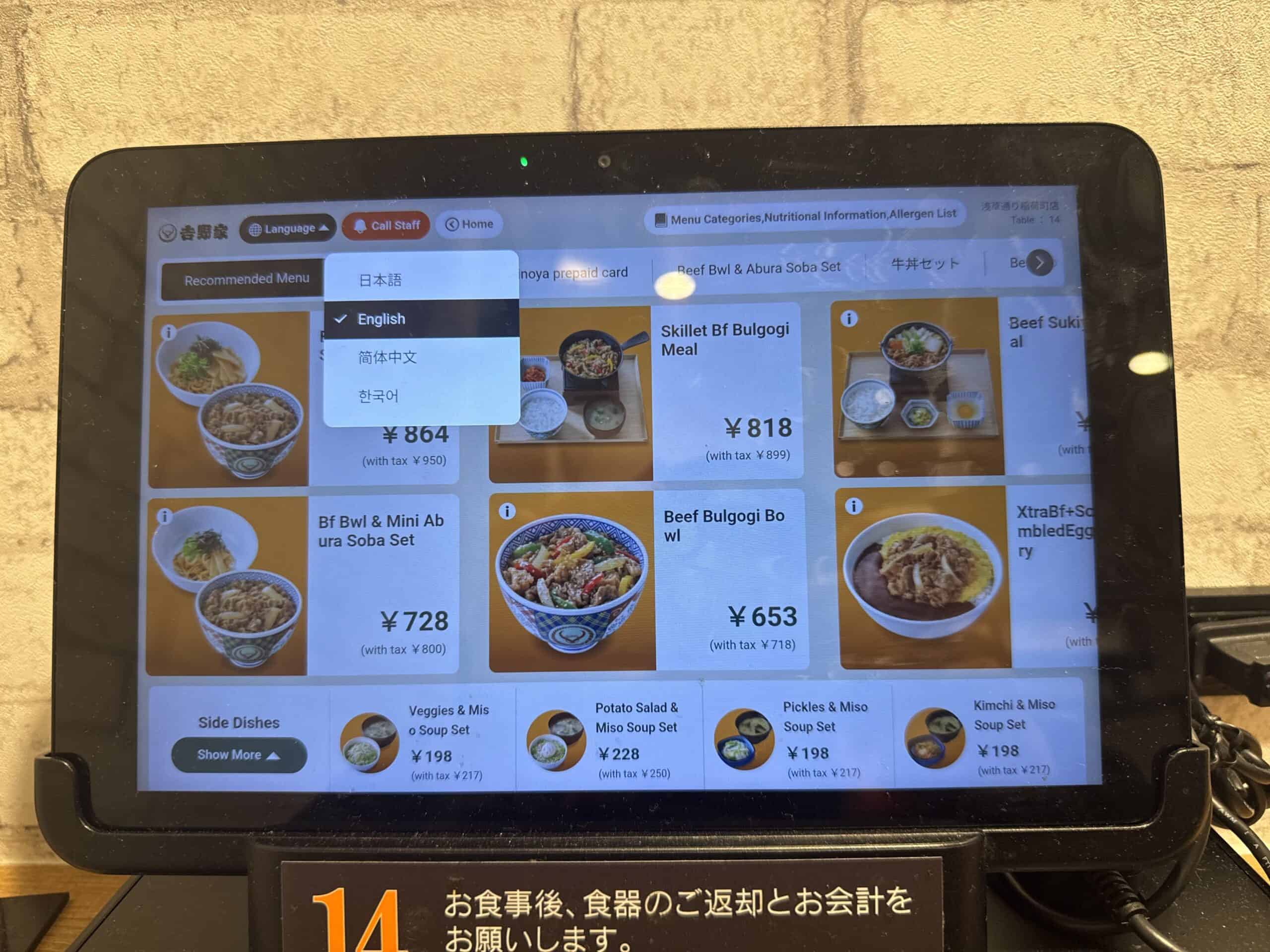
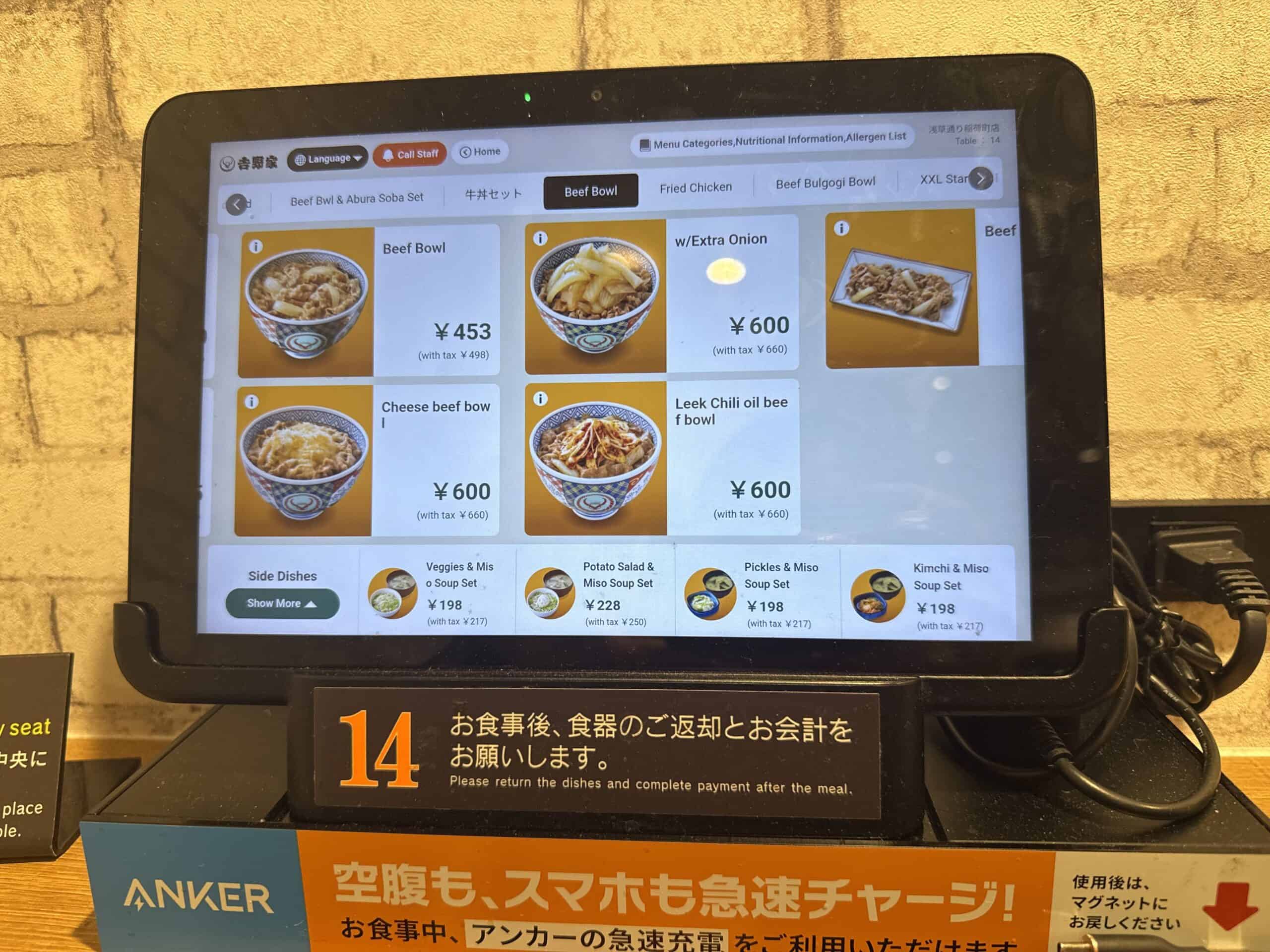
Each seat has its own ordering tablet mounted on the counter. Look for the language button, typically displayed prominently on the screen. Yoshinoya tablets support multiple languages including English, Chinese (简体中文), and Korean (한국어). Tap your preferred language, and the entire menu will switch, making ordering completely stress-free even if you don’t read Japanese.
Step 3: Browse the Menu and Customize Your Order
The digital menu displays all items with photos and prices. The classic gyudon (beef bowl) is the star attraction, with the standard serving (並盛/nami) priced at approximately ¥450-500. Browse through categories including donburi bowls, teishoku set meals, side dishes, and drinks. We recommend checking the official Yoshinoya website for current prices, as they may adjust periodically.
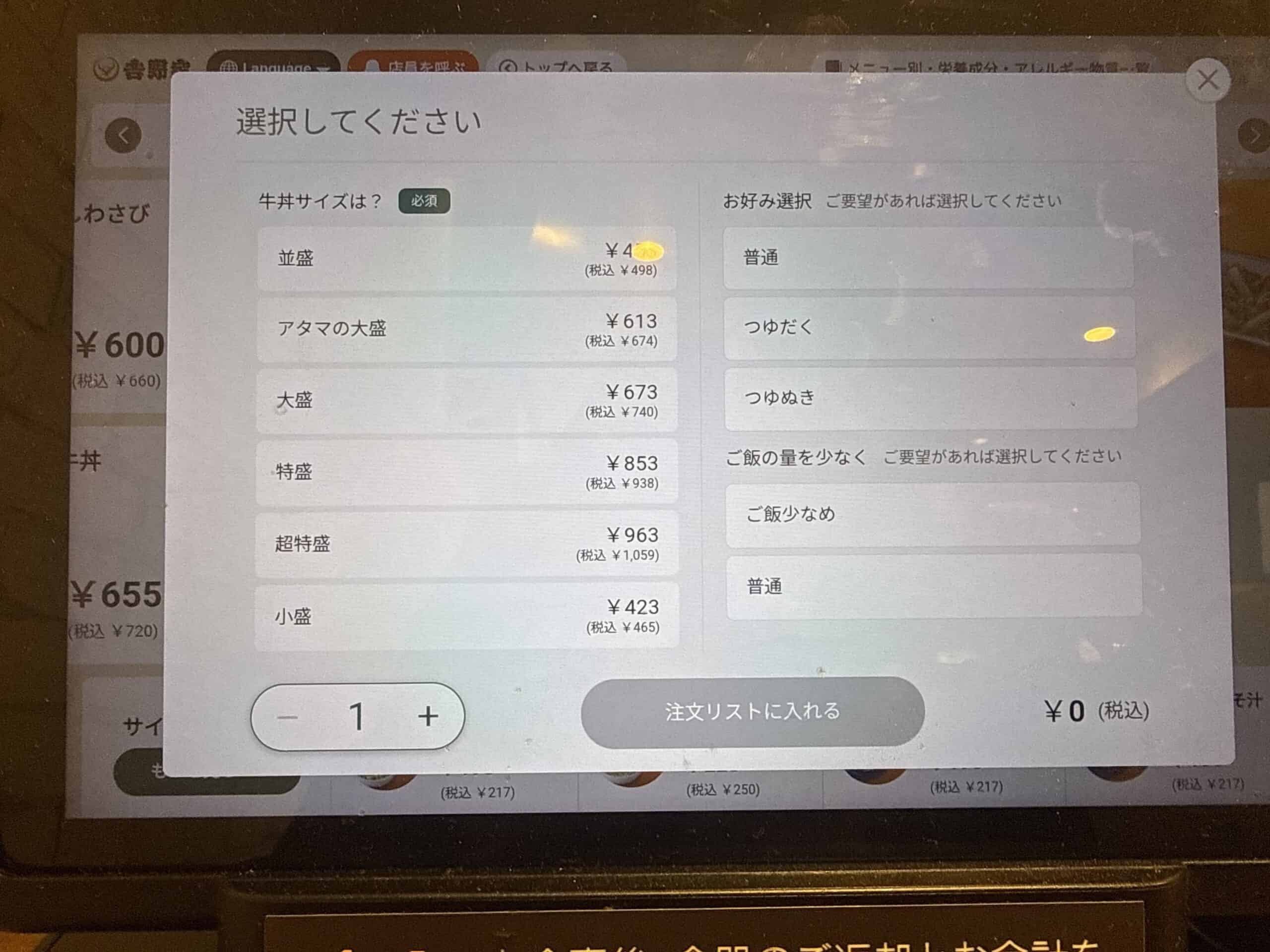
When you select an item, you’ll see customization options appear — we’ll cover these insider tips in detail below. Tap to add items to your order, review your selections, and confirm when ready.
Step 4: Watch the TV Screen for Your Number
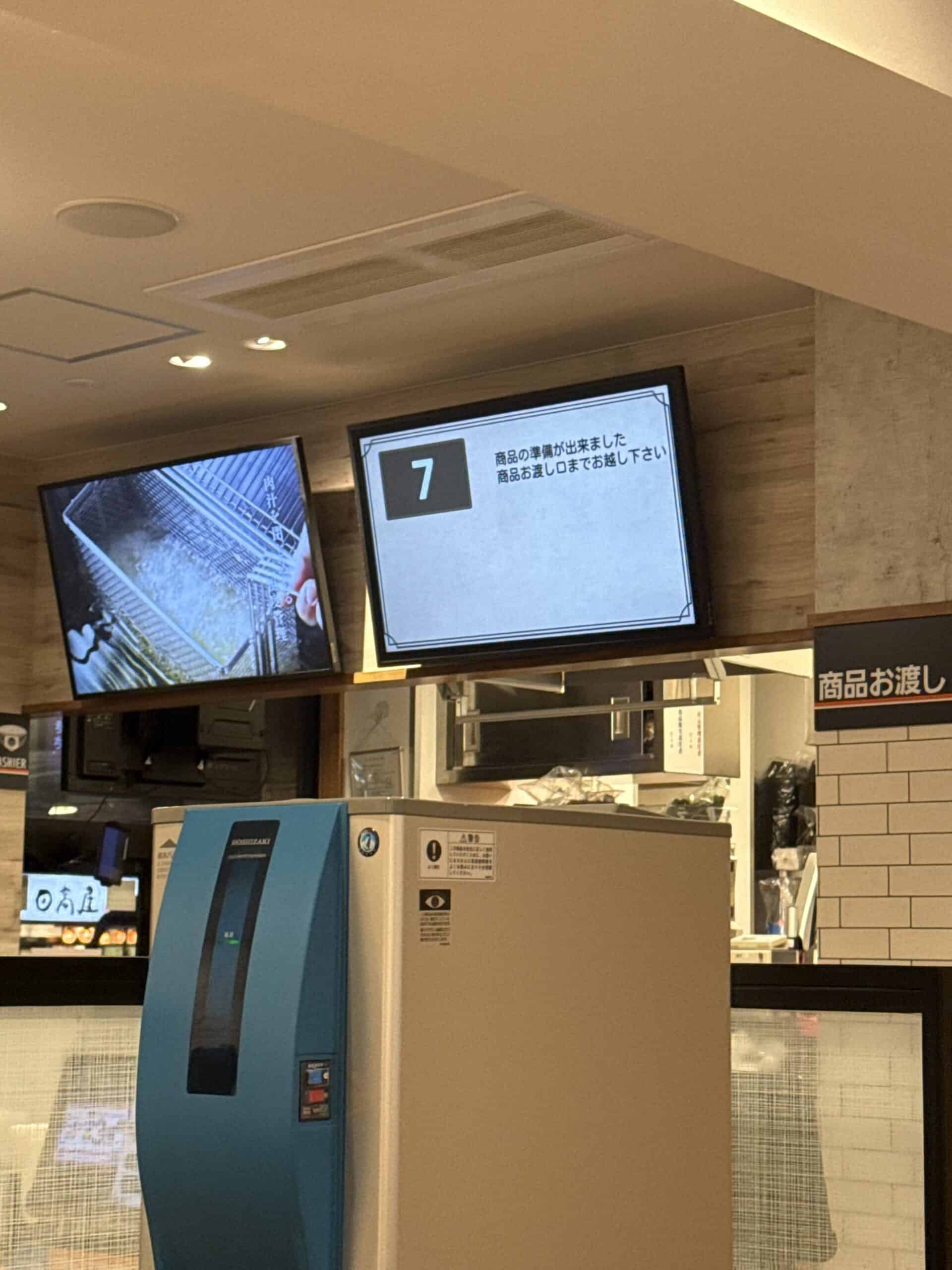
After confirming your order, keep an eye on the TV screen mounted above the pickup counter. When your food is ready, your seat number will appear on screen with the message “商品の準備ができました 商品お渡し口までお越し下さい” (Your order is ready. Please come to the pickup counter). Even without reading Japanese, you’ll easily spot your seat number displayed prominently.
Step 5: Collect Your Food at the Pickup Counter
Head to the pickup counter marked “商品お渡し口” (Shohin Owatashi Guchi). Staff will have your tray ready with your order. Take your tray back to your seat and enjoy your meal.
Step 6: Add Free Condiments
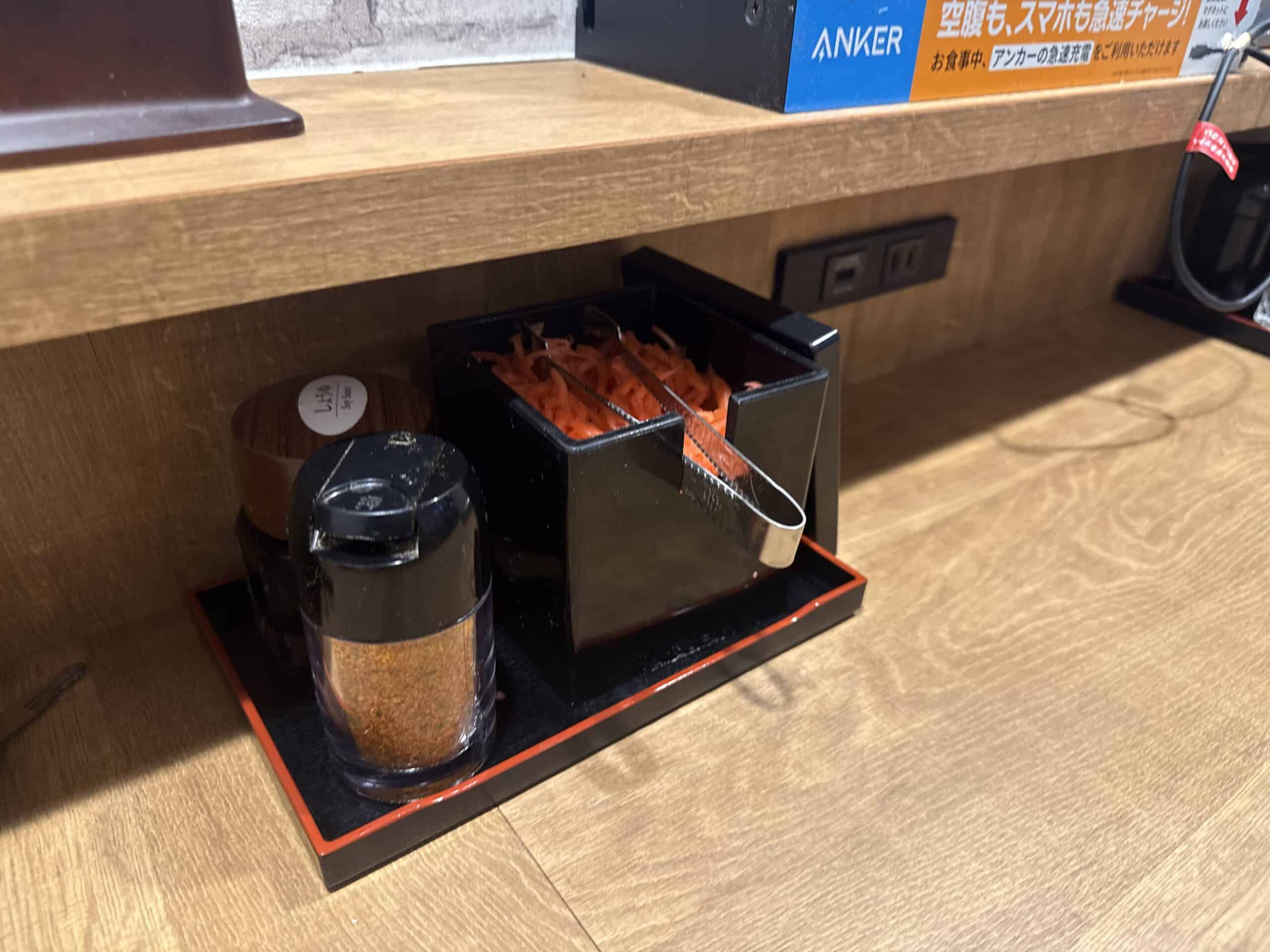
At your seat, you’ll find tabletop dispensers containing beni-shoga (紅生姜/red pickled ginger) and shichimi togarashi (七味唐辛子/seven-spice chili pepper). These condiments are completely free and unlimited — add as much as you like to customize your bowl’s flavor. The tangy, refreshing beni-shoga is particularly popular and cuts through the richness of the beef perfectly.
Free water is available at the self-service Drink Corner, typically located near the entrance or pickup counter. Help yourself to as much as you need throughout your meal.
Step 7: Return Your Tray
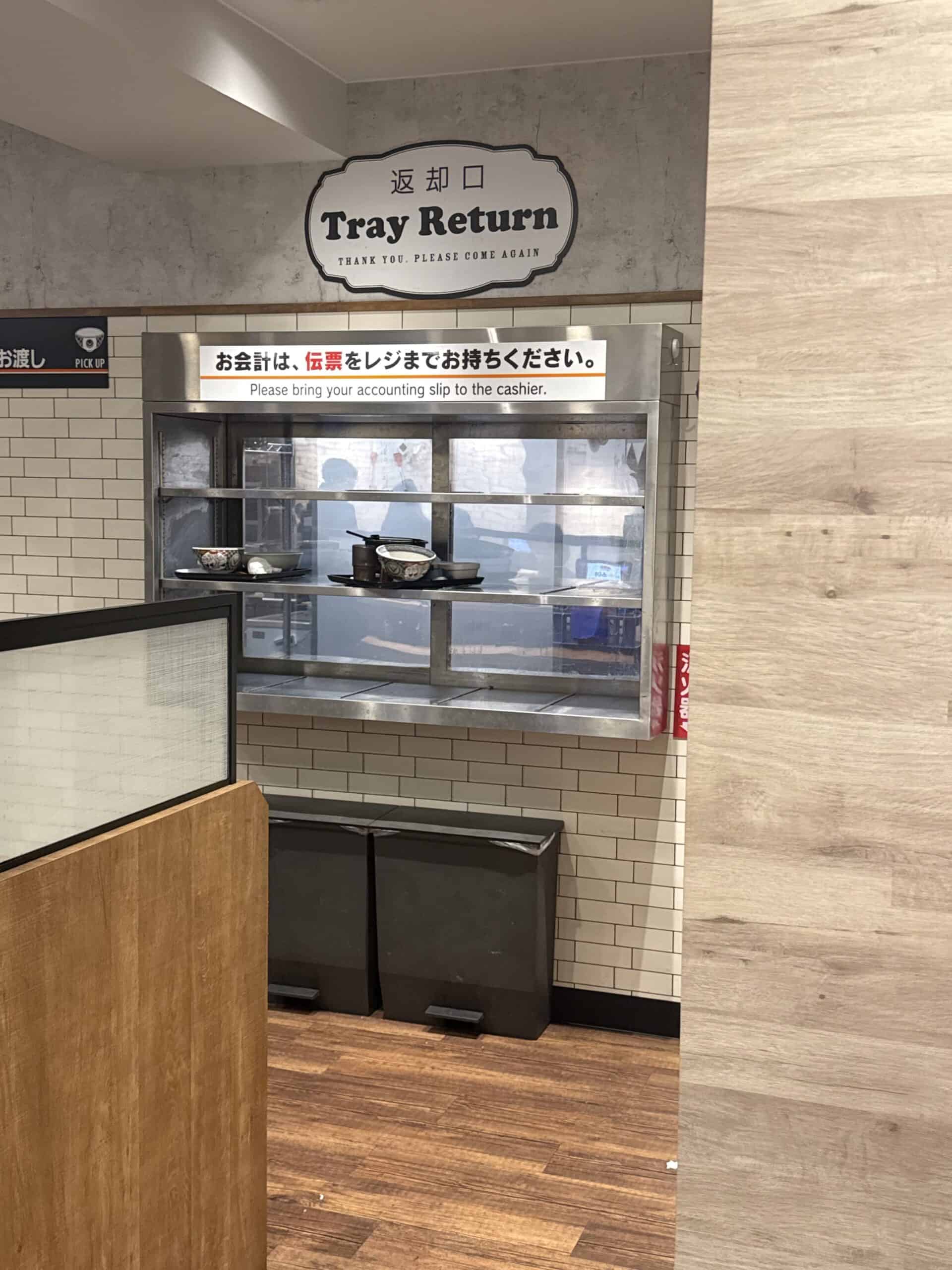
When you’ve finished eating, carry your tray to the tray return area marked “返却口” (Henkyaku Guchi). This keeps the restaurant clean and efficient for the next customer.
Step 8: Pay at the Cashier
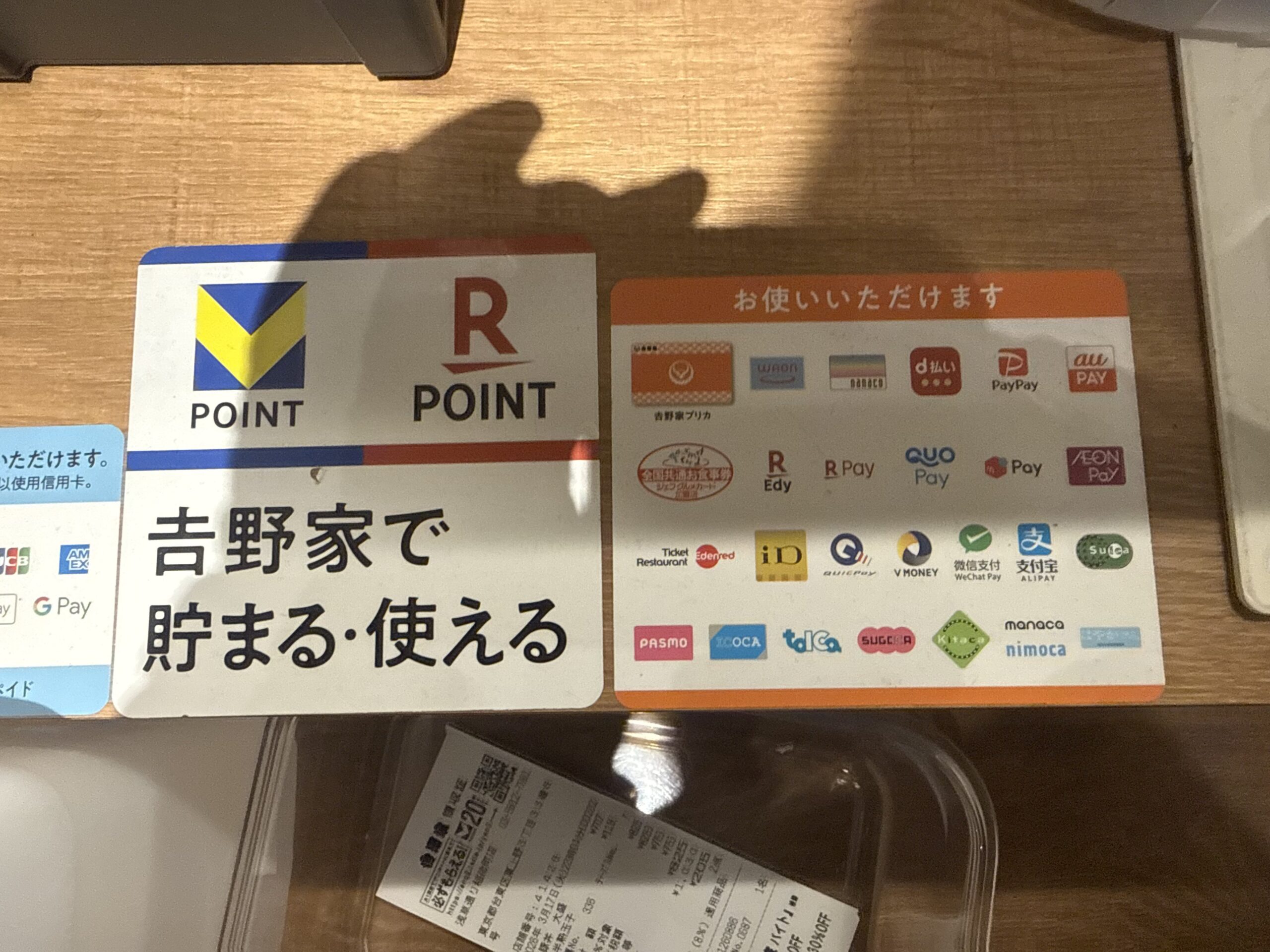
Take your accounting slip (伝票/denpyo) from the tablet or tray area to the cashier register near the exit. Yoshinoya accepts an impressively wide range of payment methods, making it extremely tourist-friendly:
- IC Cards: Suica, PASMO, ICOCA, and all regional transit IC cards
- Credit Cards: VISA, Mastercard, JCB, American Express (including contactless payments)
- QR Payments: PayPay, d払い, au PAY
- International Mobile Pay: WeChat Pay and Alipay for Chinese tourists, Apple Pay, Google Pay
This comprehensive payment flexibility means you’ll rarely need cash, which is a significant convenience for international visitors.
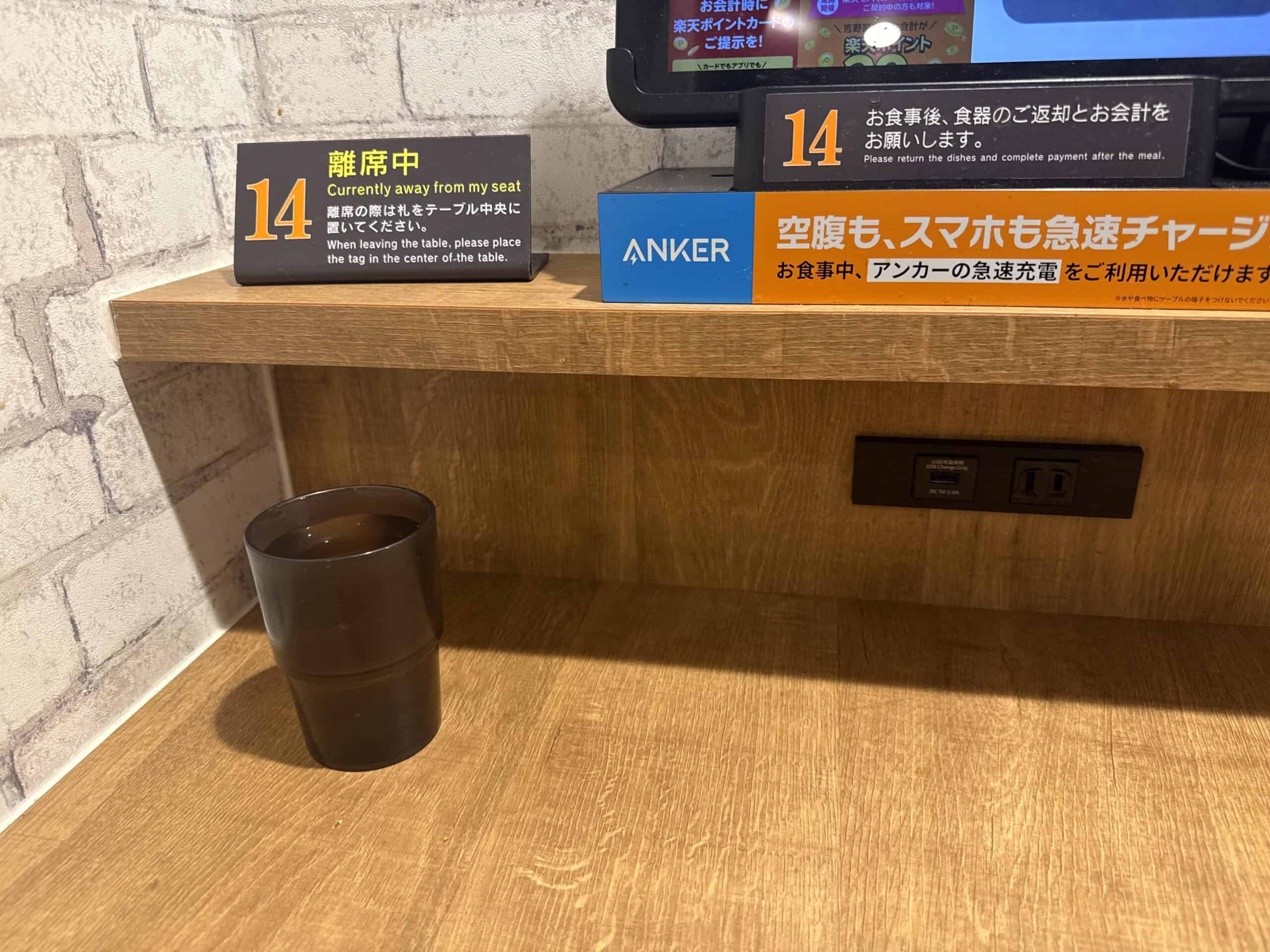
Bonus Tip: USB Charging at Every Seat
Here’s something most tourists don’t realize — each seat at Yoshinoya features an ANKER USB rapid charging port. If your phone battery is running low after a day of sightseeing, plug in while you eat. This thoughtful amenity is invaluable for travelers relying on their phones for navigation and translation.
Takeout Option
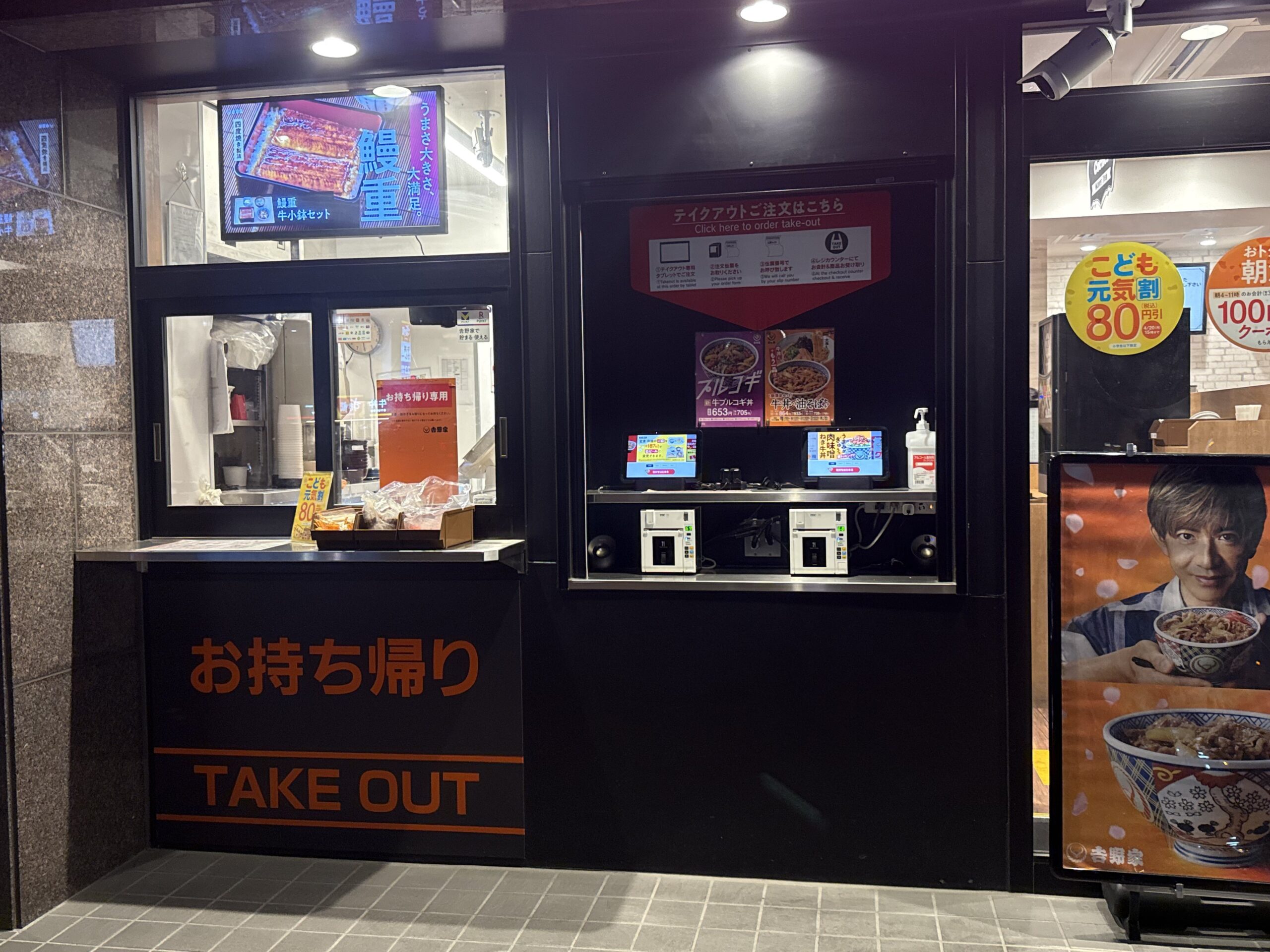
If you prefer to eat on the go, look for the outdoor takeout window marked “お持ち帰り/TAKE OUT.” The takeout process uses the same tablet system as inside — there are tablet screens installed at the outdoor counter. Look for the red sign 「テイクアウトご注文はこちら / Click here to order take-out」 and use the outdoor tablet to place your order first, then collect and pay at the window. No need to enter the restaurant.
Key Japanese Phrases You Need at Yoshinoya
While the multilingual tablet system means you won’t strictly need Japanese, knowing these phrases enhances your experience and helps you feel more confident:
Essential Vocabulary
- Gyudon (牛丼) — gyu-don — beef bowl
- Nami (並) — nah-mee — regular/standard size
- Oomori (大盛り) — oh-moh-ree — large serving
- Teishoku (定食) — tay-shoh-koo — set meal
- Tsuyu-daku (つゆだく) — tsoo-yoo-dah-koo — extra sauce
- Negi-daku (ねぎだく) — neh-gee-dah-koo — extra onion
- Beni-shoga (紅生姜) — beh-nee-shoh-gah — red pickled ginger
- Okawari (お替り) — oh-kah-wah-ree — refill
Useful Phrases
- Sumimasen (すみません) — soo-mee-mah-sen — Excuse me (to get attention)
- Arigatou gozaimasu (ありがとうございます) — ah-ree-gah-toh goh-zai-mahss — Thank you very much
- Oishii (美味しい) — oy-shee — Delicious!
- Okaikei onegaishimasu (お会計お願いします) — oh-kai-kay oh-neh-gai-shee-mahss — Check please
Customization Options via Tablet: Insider Tips Most Tourists Miss
One of Yoshinoya’s greatest strengths is the extensive customization available through the tablet ordering system. These options transform a good meal into a personalized perfect one, yet most foreign visitors never discover them.
Size Options
Yoshinoya offers an impressive range of portion sizes to match any appetite. Here are the typical gyudon size options available:
- Komori (小盛) — Small size, perfect for light eaters or as part of a larger meal
- Nami (並盛) — Regular/standard size, the most popular choice (approximately ¥450-500)
- Atama no Oomori (アタマの大盛) — Large beef topping with regular rice
- Oomori (大盛) — Large size with more rice and beef
- Tokumori (特盛) — Extra-large size for hearty appetites
- Chou-Tokumori (超特盛) — Super extra-large, the ultimate portion
Prices increase incrementally with size. We recommend checking the official Yoshinoya website or the in-store tablet for current pricing.
Sauce and Topping Customizations
Through the tablet, you can customize your bowl in several ways:
- Tsuyu-daku (つゆだく) — Extra sauce/broth for a juicier bowl
- Tsuyu-nuki (つゆ抜き) — No sauce, for those who prefer it dry
- Negi-daku (ねぎだく) — Extra onions
- Negi-nuki (ねぎ抜き) — No onions
Free Unlimited Rice Refills for Teishoku Set Meals
Here’s an incredible value that most tourists completely miss: when ordering teishoku (set meals), rice refills are unlimited and completely FREE. To get a refill, simply use the tablet and navigate to: teishoku → gohan okawari (ごはんおかわり). You can even request large rice (oomori) at no extra charge. This generous policy applies to breakfast teishoku as well, which is served from AM 4:00 to AM 11:00. If you’re a big rice eater, teishoku meals offer exceptional value.
Popular Menu Items to Try
While gyudon is the signature dish, Yoshinoya offers a diverse menu worth exploring:
- Gyudon (牛丼) — The classic beef bowl that made Yoshinoya famous
- Negi-tama Gyudon (ねぎ玉牛丼) — Beef bowl topped with green onions and a raw egg
- Gyusara (牛皿) — Beef and onions served separately from rice, great for customizing
- Gyu-yaki-niku Don (牛焼肉丼) — Grilled beef bowl with a different flavor profile
- Teishoku Sets — Complete meals with rice, miso soup, and side dishes (remember the free rice refills!)
- Breakfast Menu — Available from AM 4:00 to AM 11:00, featuring lighter options and great-value teishoku sets
Final Tips for Your Yoshinoya Experience
- Visit during off-peak hours — Lunch (11:30-13:30) and dinner (18:00-20:00) rushes can mean longer waits
- Don’t forget the free condiments — Beni-shoga and shichimi truly enhance the flavor
- Take advantage of USB charging — A perfect opportunity to recharge while you refuel
- Try different customizations — Tsuyu-daku is particularly popular among regulars
- Order teishoku for best value — The free unlimited rice refills make set meals an excellent deal
With this guide, you’re fully prepared to enjoy Yoshinoya like a seasoned local. The combination of affordable prices, delicious food, multilingual ordering, and tourist-friendly payment options makes Yoshinoya an essential Japan dining experience. Enjoy your meal — or as the Japanese say, itadakimasu (いただきます)!